Help your church carry faith through the week.
Word to Week turns Sunday's sermon into daily devotions, guided prayers and discipleship prompts, delivered through a mobile app your members can carry all week.
Paste your sermon notes or connect your church's YouTube channel and select the sermon you've already uploaded. Word to Week takes it from there.
You manage and approve the week. Your congregation experiences it in the app.
See it in action
The complete sermon-to-week workflow
The weekly journey
Paste your notes, upload your manuscript, or select the sermon from your connected YouTube channel. When you use YouTube, Word to Week works from the video's captions — there's no transcript to download, copy or prepare.
Daily devotions, guided prayers, discipleship prompts and shared reflection questions are created from what you actually preached. With a connected YouTube sermon, Word to Week can also find where each devotion's themes appeared in the message.
Members receive each devotion in the Word to Week app at the times they've chosen, keeping Sunday's message present in the middle of everyday life.
Sunday's sermon isn't just summarized. When a devotion connects with something from the sermon, members can jump back to the relevant moment and hear it from their pastor again.
Already streaming Sundays?
Your YouTube sermon can become the starting point.
No sermon notes? No problem.
Connect the YouTube channel your church already uses. After Sunday's sermon is uploaded, select the video in Word to Week and use its captions to create the week's content.
Your church’s YouTube
One-time channel connection
Sunday’s sermon
Choose from your channel
Generate the week
Captions become the sermon source
Your existing Sunday workflow becomes your Word to Week workflow.
Bring every devotion back to Sunday
From a 2-minute devotion to the moment it was preached.
Word to Week can use the sermon's captions to find where the topic behind a devotion was discussed in Sunday's video. Members can then jump from the devotion to that relevant moment and hear the teaching in context.
Today’s devotion
When Worry Takes Over
Jesus reminds us that worrying about tomorrow doesn’t add anything to today.
Matthew 6:34
From Sunday’s message
“…and that’s why Jesus tells us not to worry about tomorrow…”
The sermon stays at the center
Word to Week doesn't replace the sermon. It keeps bringing people back to it.
Daily devotions help your congregation reflect on what was preached. And when they want to go deeper, they can return to the relevant moment and hear the message again from their own pastor.
“Oh… this helps our church actually live out Sunday all week.”
What pastors say when they first understand Word to Week.
What your congregation experiences
Every day, something meaningful in their pocket.
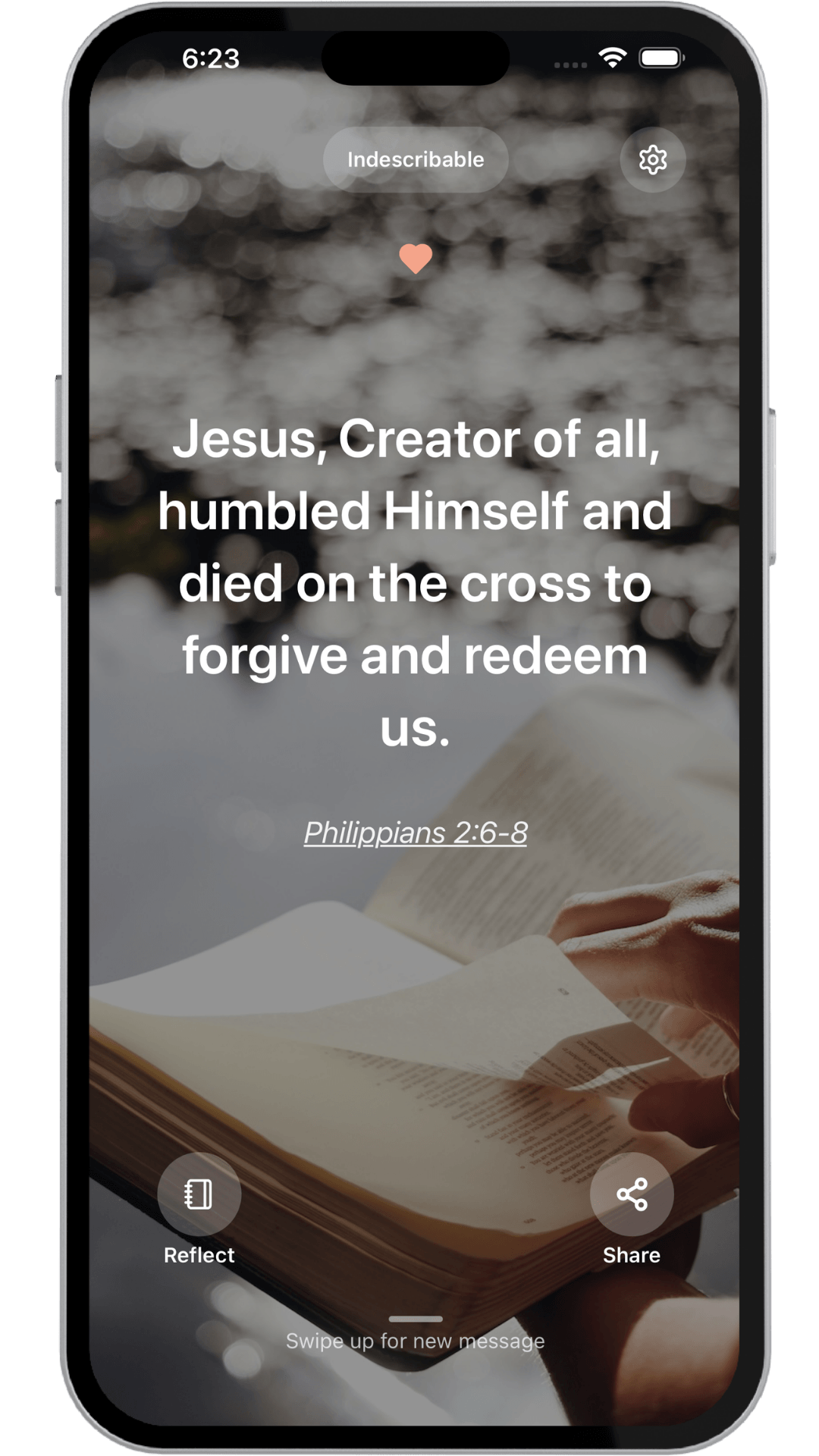
Your members receive each devotion in the Word to Week mobile app and can set reminders that fit their rhythm, choosing when they are reminded, which days they hear from you, and how often. Every reflection stays tied to what you preached.
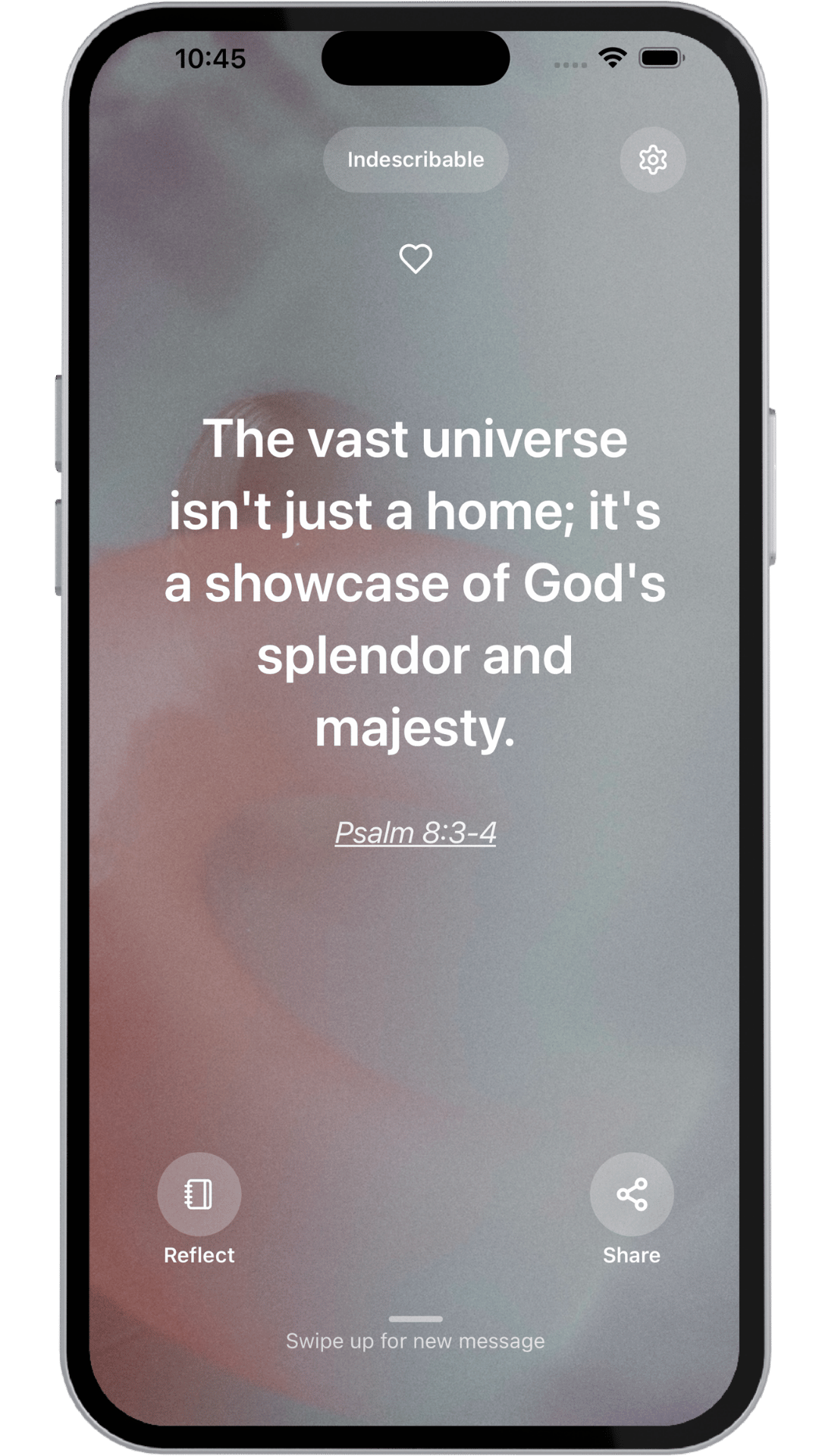
A devotion that opens the week — grounded in Sunday's message.
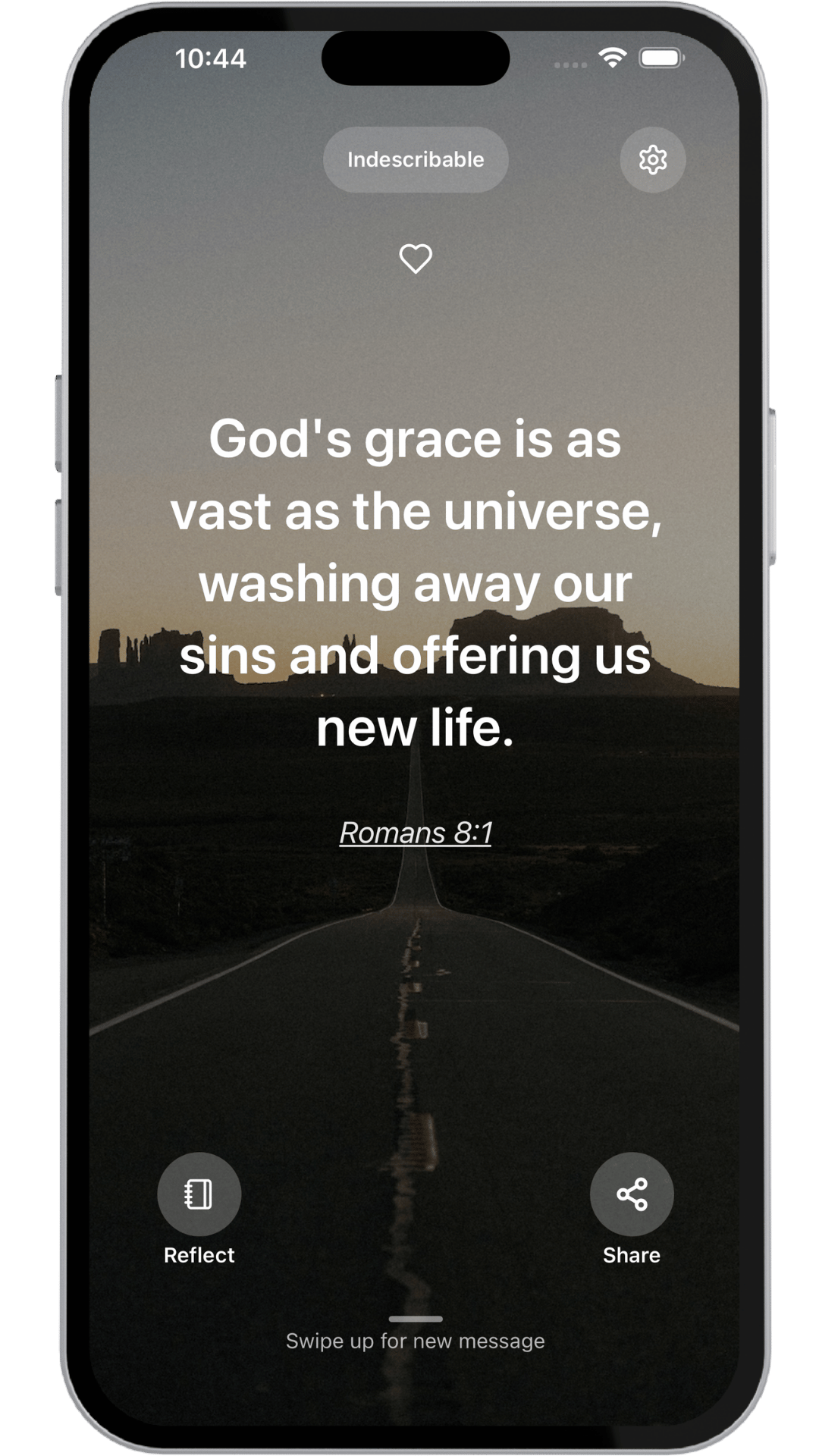
A thought that connects the sermon to real, daily life.
▶ Revisit this in Sunday's sermon
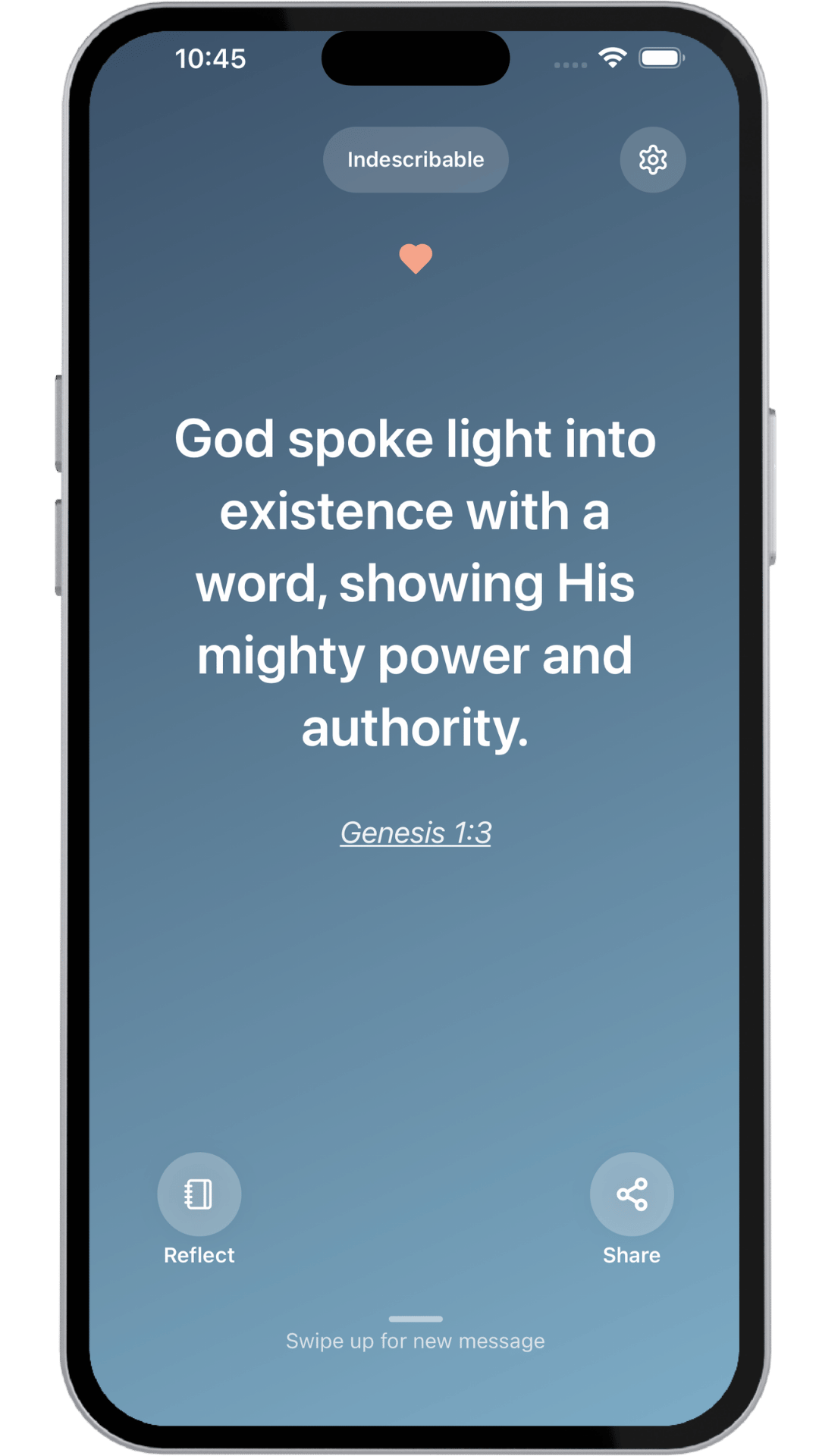
A devotion that closes the week and carries faith forward.
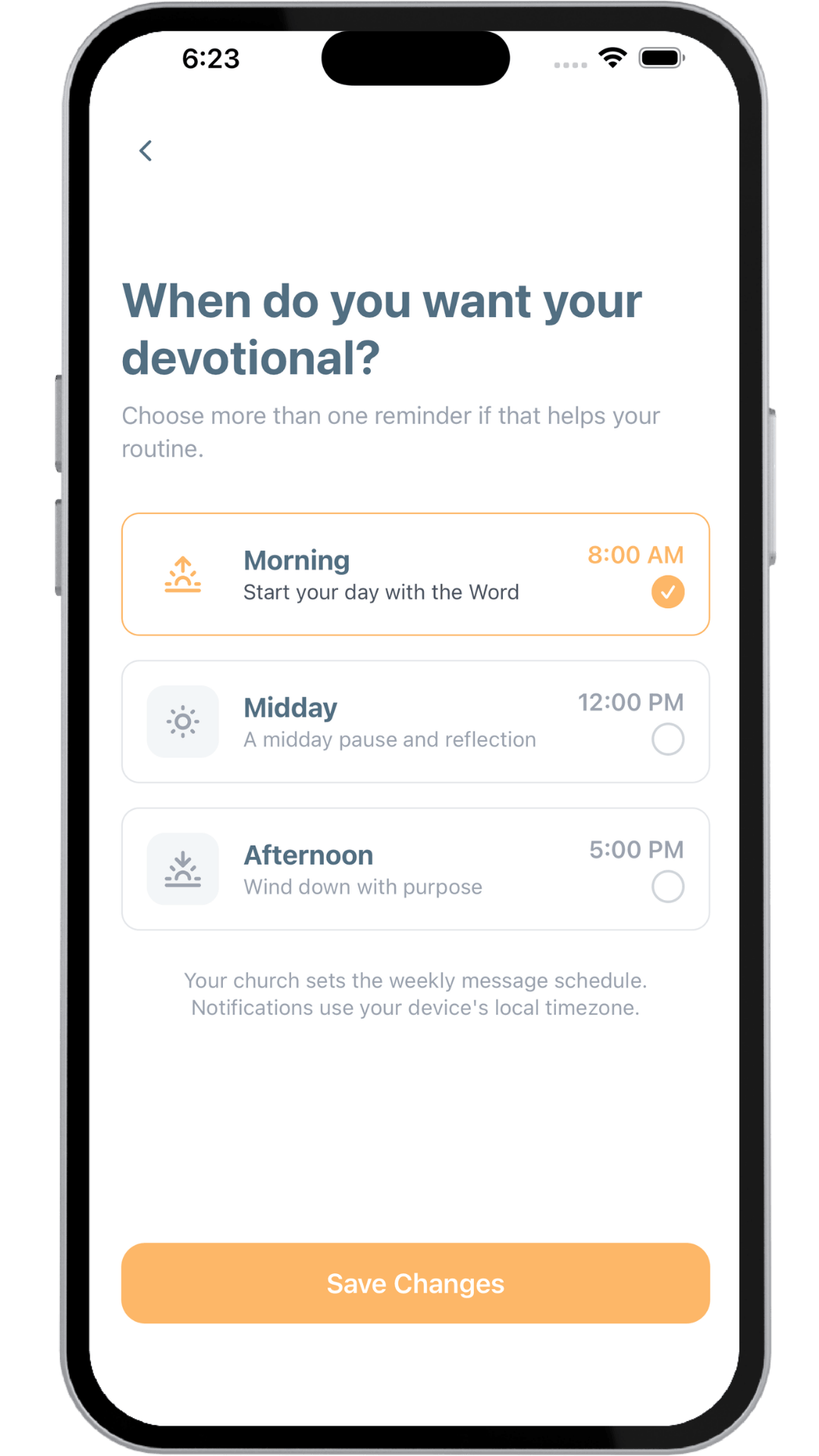
Reminders on their schedule
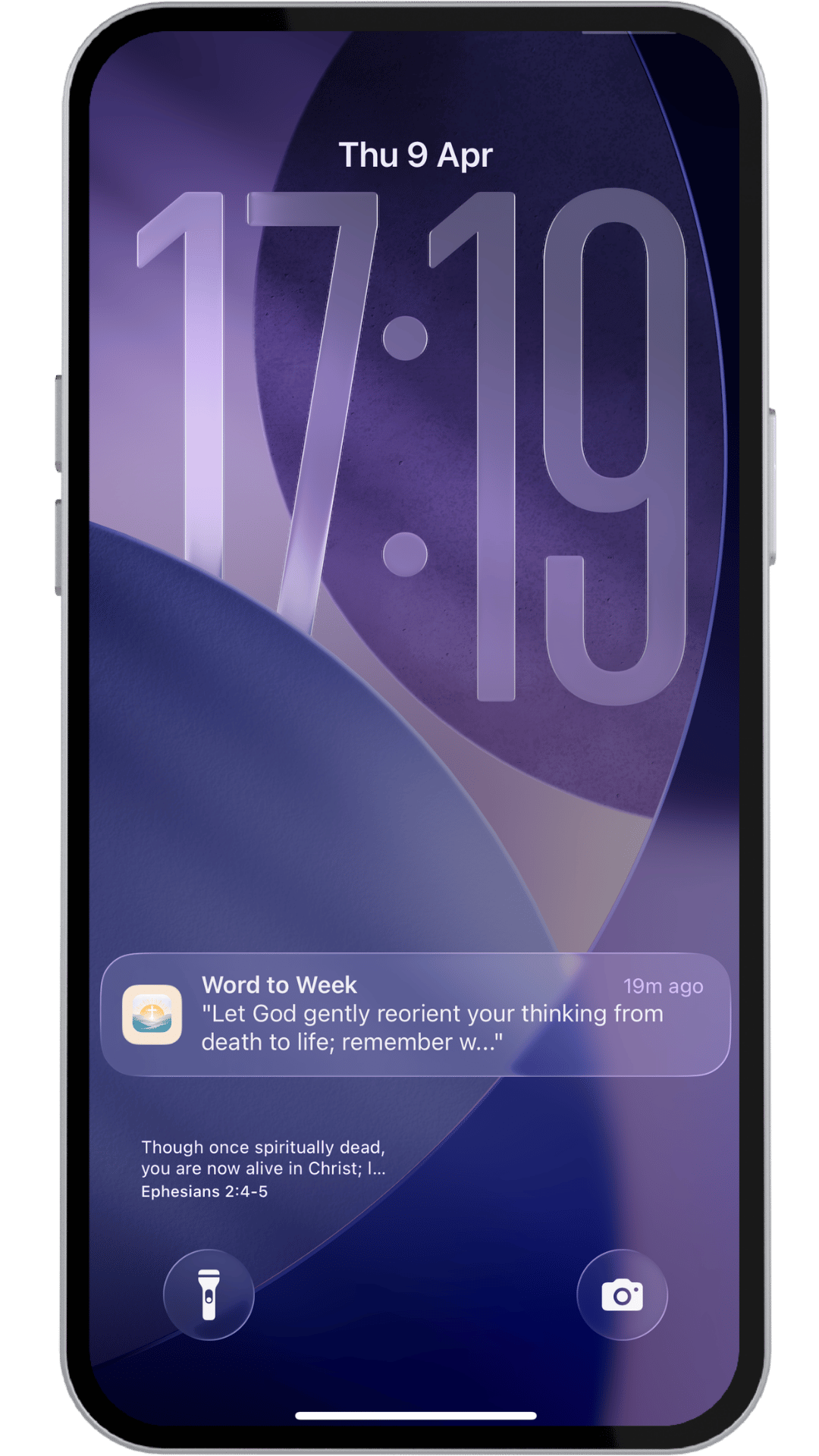
Right on the lock screen.
Inside the Word to Week app, each member sets the days and times that fit their rhythm. The sermon shows up when it actually matters, not just when it's convenient to send it.
- Members choose their own reminder days and times
- Control how often they're prompted each day
- Every reminder connects back to that week's sermon theme
So the message doesn't just get heard. It keeps showing up in real life.
Always within reach
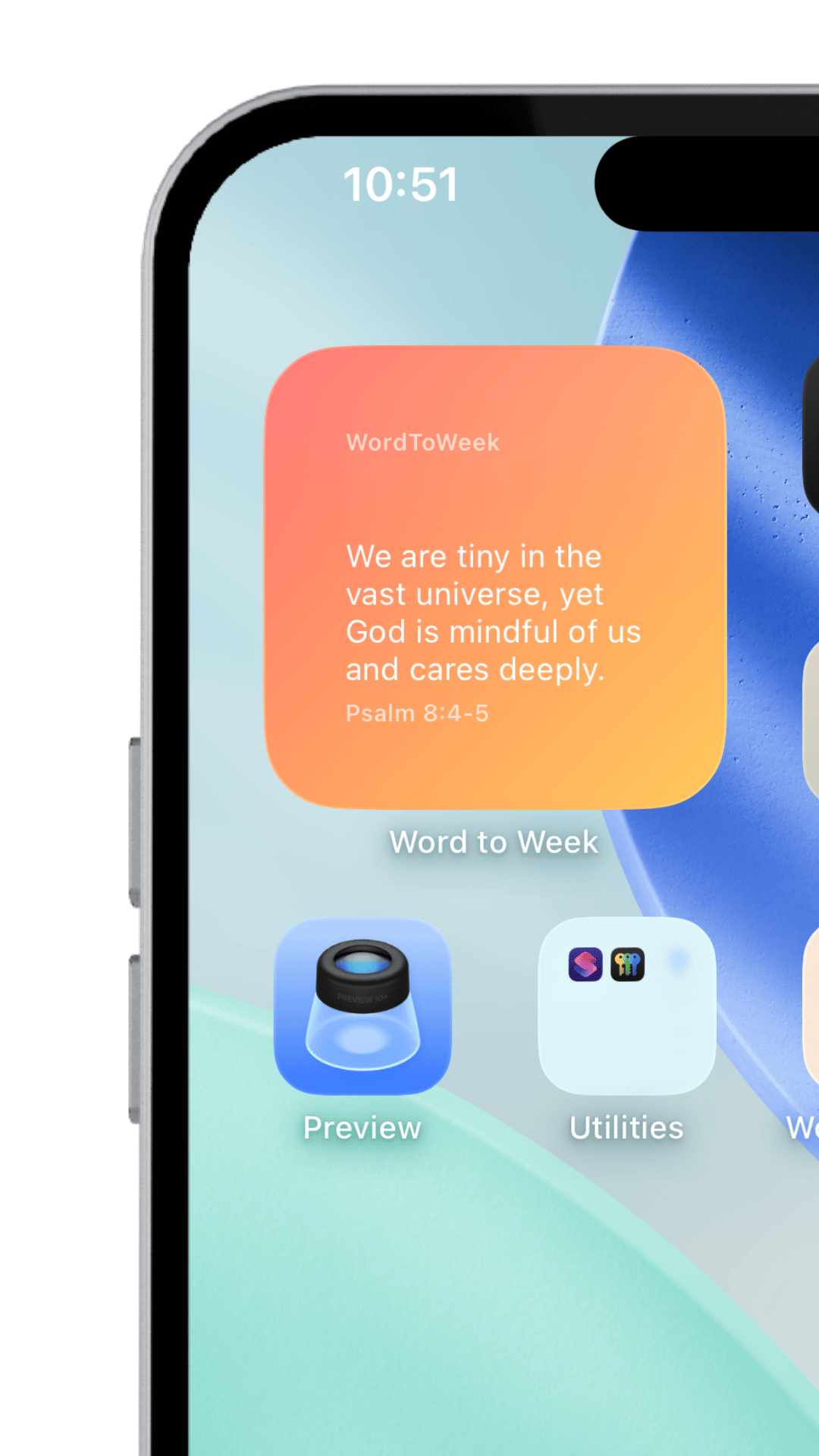
On the home screen, all week long.
Your church's devotions and Sunday's message stay within reach throughout the week, with a quiet daily reminder to carry faith into everyday life.
Try the member app
Download Word to Week on iPhone or Android.
Want to see what your congregation will experience? Install the app to preview daily devotions, reminders, and the home screen flow from a member's point of view.

Word to Week
Sample channel ready
How to get started
Launch in minutes, not months.
1
Create your churchSet up the church profile.
2
Add your sermonPaste your notes, upload your manuscript, or connect YouTube and select Sunday's sermon.
3
Review and publishReview the devotions Word to Week creates, make any changes you want, and publish the week.
4
Invite your churchShare one link with your congregation. They join your church in the app and start receiving the week's devotions.
Try it free for 3 Sundays
Ready to bring Sunday into the whole week?
Set up your church in under 5 minutes. Add your sermon notes or connect your YouTube channel and let the message you're already preaching keep working all week.